Trading utilities for MetaTrader 5

Below are trading programs simplifying trading in MetaTrader 5. Hover over a utility to read its description and purpose.

Utility type
Price

PFX Trade Copier

Free

VR Color Levels MT5

Free

Smart Stop Scanner MT5

99 USD

News Stopper

30 USD

Universal Trailing Stop and Breakeven EA

Free

MT5 Trade Manager

Free

Virtual sl tp Manager

Free

Layer Master Grid Trader MT5

60 USD

Trade HotKeys

Free

UMNi ALRT Telegram Notifications for MT5

Free

Footprint Secrets Orderflow Analyzer Preview

Free

Zikiman CopyTrader Local MT5 Trade Copier

Free

TendenciaPrecioFecha2

Free

Post Trade Analyzer y SL TP Optimizer

Free

LC Risk Manager

Free

Copy Trader Pro FAST MT5

30 USD

Manual Order Panel

Free

BreakEvenTrailingMarket

Free

Active Lines

120 USD

Trade Manager All in One Trade Management Panel

Free

Telegram2MT5 Signal Copier

59 USD

Phoenix Trade Manager MT5

49 USD

Accounts Protector MT5

Free

Telegram to mt5 signal copier

59.99 USD

TradeAssist Risk Panel MT5

Free

MT5 Monitoring Heartbeat

Free

QuickTrade Panel EA MT5

Free

Crystal MTF Candle Pro

Free

Binance MT5 Copier

60 USD

Hotkey Trader

Free

Risk Calculator Fast Trade Management Buttons MT5

69 USD

Capital Guard Position Risk Manager Pro

30 USD

Quick Trade Panel Pro

Free

OHLC Magnet MT5

Free

Sentinel News Filter

Free

Auto Fibonacci MT5

Free

Close All Trades Button

Free

PropFirm Trade Manager AutoBE Partial

Free

GEX Options Radar

Free

Trump Feed to Telegram

30 USD

CasperIT Trade Manager Professional

79 USD

NT Risk Ratio Tool

Free

MyFXRoom Position Size Calculator EA

Free

Grafico 15 segundos

Free

Export History Data to CSV

Free

AlphaForge Range Chart

59 USD

XP Forex Trade Manager Grid MT5

Free

TradePanel 105

Free

Flow Monitor

Free

Trader Command Center

Free

Trade2Telegram

Free

Drag Orders MT5

Free

Pips Counter Basic

Free

PropGuard

89 USD

Daily limiter

Free

DrawFX

Free

Kalifx P S Calculator

Free

Second Timeframe for MT5

Free

Boleta Global Lab

Free

Auto close

Free

EasyTrade MT5

60 USD

Close Button MT5

Free

Close All Order Tools

Free

LinearRegression Channel

Free

BoletaMiniPanel

Free

SyncTrader Risk Manager

Free

Multi TF Signal Dashboard

Free

AI Chart Assistant Mt5

Free

MTF Charts PRO

Free

Close All in 1s

Free

Flash Alert

Free

Symbol Watermark

Free

Frequently asked questions about trading utilities

What is a trading utility?

A trading utility is an application that makes a specific task in MetaTrader 5 easier. It may help manage orders, calculate risk, organize charts, display information, export data, analyze the market or provide a more convenient trading panel.

What tasks can trading utilities perform?

The Store includes utilities for order management, risk management, chart management, notifications, data export, graphical objects, market analysis and trading panels. Some products perform one narrow task, while others combine several everyday tools in a single interface.
How is a utility different from an Expert Advisor?

An Expert Advisor usually contains a trading strategy and can search for market entries automatically. A utility focuses on a practical operation or user-controlled workflow. It may help manage trades, but it does not necessarily decide when a position should be opened.
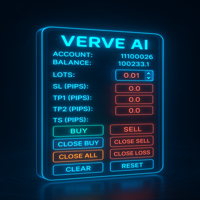
Can a trading utility open and close trades?

Some utilities can open, modify and close trades. This is common for trading panels and order-management tools. Other utilities only display information, analyze data, manage charts or export files. The product description should clearly explain whether the application sends trading requests.

How do I choose the right trading utility?

Start with the exact workflow you want to simplify. Compare the interface, supported account modes, settings, documentation, update history, discussion and user reviews. For trade-management utilities, check how the product calculates volume, handles multiple positions and reacts to rejected or partially filled orders.

Can I test a trading utility before buying it?

Testing depends on how the utility is implemented. If a demo option is available, follow the author’s instructions. Interactive panels are often easier to evaluate through screenshots, video, discussion and documentation. A rental version, when offered, allows you to examine the full product for a limited period.

Does MetaTrader 5 need to stay open for a utility to work?

Yes, if the utility runs locally and continuously monitors the market, manages trades or exports data. Closing MetaTrader 5 stops applications running inside it. Some autonomous utilities may work on virtual hosting, but interactive panels generally require the desktop platform and direct user access.

What should I check before using a utility on a live account?

Test the utility on a demo account first and learn how every control works. Check whether it can open, modify or close trades, how it calculates volume, and how it handles Stop Loss, Take Profit and multiple positions. Make sure you know how to stop or disable automated actions quickly.