Trading utilities for MetaTrader 5

Below are trading programs simplifying trading in MetaTrader 5. Hover over a utility to read its description and purpose.


Utility type
Price

Goal Tracker abd Risk Guard

Free

Hidden MACD MT5

Free

Trade Table EP

Free

TradeBridge

Free

Closer of all Trades

Free

Scripts Close Position

Free

Trading Panel XXX

Free

Auto Trade Journal Over Telegram

Free

Instant Close All Charts

Free

Grid SetKa

Free

The Prop Firm Equity Guardian

Free

Copydeal master

Free

Delete Objects by Name and Type

Free

Apex TPGrid MT5

Free

SmartLotEA

Free

Mattrix Synthetic Chart

Free

Risk Mirror Prop Firm Risk Dashboard

Free

Add Consolidate Move TP

Free

VR Object Delete All MT5

Free

DynamicTrader 1

Free

ZeroG CyberClock Pro

Free

TradeSync One

Free

EA35 Tanin Copy Utility

Free

Smart Scanner

Free

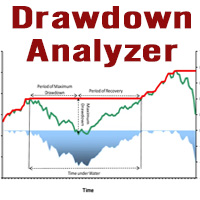
Drawdown Analyzer

Free

FOMO Lock

Free

RealCost Gold Session Zones MT5

Free

Book Data Binance

Free

DrawerWeightLineMT5

Free

CopyStar MT5

Free

InfoLossLevel

Free

Basket Close

Free

Manual Turlte Quant

Free

Binance Spot Symbol List Update

Free

Isheguve Trends Scout

Free

Partial Close Trading Bot

Free

Grid Copier

Free

Best Trade Copier Master File

Free

PZ Order History MT5

Free

Special Trailing SL

Free

Change Template on All Charts

Free

CxPV Analyst

Free

Edgezone EA Inspector

Free

LT Protect My Trades

Free

Mql5EquityDrawdownMonitor

Free

Symbol Cost Monitor

Free

PointFigureKagiCharts DEMO

Free

Red Hot Volume By ZeeAM Khan

Free

Simple History Receiver

Free

SymbolScope MT5

Free

Order Placement Utility

Free

FirstBlade Performance Analyzer

Free

MAKO Aion

Free

Clear All Stops and Takes

Free

Gold Risk Radar

Free

Big Ching UH dividend payout EA

Free

Spread Update Script

Free

Vyl Focus Trainer

Free

RoundNum for MT5

Free

GMT Time MT5

Free

Delete Objects and Grid

Free

Chart Cloner

Free

Panel Anywhere

Free

RiskMaster NewsFilter

Free

SWDM Position Manager EA

Free

Godfx Executioner

Free

RiskSentry

Free

True Sell Buy

Free

Signal Alerts Max

Free

Auto TradePanel Basic Demo

Free

Sessions Duck

Free

Naked chart MT5

Free

Frequently asked questions about trading utilities

What is a trading utility?

A trading utility is an application that makes a specific task in MetaTrader 5 easier. It may help manage orders, calculate risk, organize charts, display information, export data, analyze the market or provide a more convenient trading panel.

What tasks can trading utilities perform?

The Store includes utilities for order management, risk management, chart management, notifications, data export, graphical objects, market analysis and trading panels. Some products perform one narrow task, while others combine several everyday tools in a single interface.

How is a utility different from an Expert Advisor?

An Expert Advisor usually contains a trading strategy and can search for market entries automatically. A utility focuses on a practical operation or user-controlled workflow. It may help manage trades, but it does not necessarily decide when a position should be opened.

Can a trading utility open and close trades?

Some utilities can open, modify and close trades. This is common for trading panels and order-management tools. Other utilities only display information, analyze data, manage charts or export files. The product description should clearly explain whether the application sends trading requests.

How do I choose the right trading utility?

Start with the exact workflow you want to simplify. Compare the interface, supported account modes, settings, documentation, update history, discussion and user reviews. For trade-management utilities, check how the product calculates volume, handles multiple positions and reacts to rejected or partially filled orders.

Can I test a trading utility before buying it?

Testing depends on how the utility is implemented. If a demo option is available, follow the author’s instructions. Interactive panels are often easier to evaluate through screenshots, video, discussion and documentation. A rental version, when offered, allows you to examine the full product for a limited period.

Does MetaTrader 5 need to stay open for a utility to work?

Yes, if the utility runs locally and continuously monitors the market, manages trades or exports data. Closing MetaTrader 5 stops applications running inside it. Some autonomous utilities may work on virtual hosting, but interactive panels generally require the desktop platform and direct user access.

What should I check before using a utility on a live account?

Test the utility on a demo account first and learn how every control works. Check whether it can open, modify or close trades, how it calculates volume, and how it handles Stop Loss, Take Profit and multiple positions. Make sure you know how to stop or disable automated actions quickly.