Trading utilities for MetaTrader 5

Below are trading programs simplifying trading in MetaTrader 5. Hover over a utility to read its description and purpose.


Utility type
Price

ChartSync MT5

30 USD

KT Equity Protector MT5

30 USD

Trading Chaos Expert

295 USD

SignalForge Discord Telegram Signal Copier

49 USD

Trade Assistant 38 in 1

69 USD

SQ Tactic Tracker

65 USD

Profit or Loss Pad

40 USD

Daily Trading Limiter

40 USD

Trendline Trader EA

50 USD

Exp5 SafetyLock PRO for MT5

50 USD

EA Performance Terminal

49 USD

Telegram Signal Copier EA

39 USD

Trading View ToMT5

45 USD

Auto SL TP MT5

30 USD

EasyInsight AIO MT5

159 USD

EA Portfolio Analyzer

49 USD

KT Renko Live Charts MT5

30 USD

AlgoRadar

99 USD

TradePad

199 USD

Trade Manager Ultimate Risk Alarms CopyTrade

99 USD

EA Performance Hub

39 USD

TradeManager Auto Breakeven and Trailing

35 USD

SMC Trade Pilot MT5

79 USD

Kalifx Trade manager

30 USD

Basket TP Utility Pro

79 USD

Scalper Pal

30 USD

Didi Alert Needle Detector

50 USD

Exp5 Duplicator

50 USD

Smart Bulk SL Setter

33 USD

PZ Local Trade Copier EA MT5

99 USD

Bots Builder Pro MT5

149 USD

Axiom Trade

30 USD

Trade Assistant Panel All in One MT5

49 USD

Eagle Local Trade Copier MT5

39 USD

Peragon Trade and Risk Manager MT5

49 USD

Copy MT5 MT4 All In One

30 USD

Wolseley Panel MT5 FREE

30 USD

Footprint Secrets Orderflow Analyzer

150 USD

Close All Pro MT5 Fast PnL Control

30 USD

Guardian Equity EA

30 USD

Take a Break MT5

89 USD

OrderManager MT5

30 USD

Neuron Trade Replay

30 USD

HINN Lazy Trader

650 USD

Ultimate Trailing Stop EA MT5

100 USD

MT5 Trade Copier Copy Trade MT5 EA

30 USD

SuperPositionTerminal

30 USD

MrRexo Trade Panel

49 USD

Trade Builder Pro

75 USD

MT5Eezeorder 2

50 USD

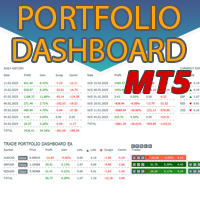
Trade Portfolio Dashboard MT5

69 USD

Spot vs Future Gold Arbitrage EA

999 USD

Smart Stop Manager MT5

79 USD

Strategy Drift Pro

79 USD

Orderflow Atlas

100 USD

Beat the Market Maker Indicator

97 USD

Discord Signal Copier

199 USD

AW Shepherd Safety MT5

35 USD

Htf mt5

50 USD

Fimathe Robot

39 USD

Trade Copier Pro MT5

149 USD

Trail Architect MT5

39 USD

Prop Firm Trade Assistant MT5

50 USD

RS Trade Copier MT5

50 USD

Stats Dashboard

30 USD

Telegram to mt5 pro

199 USD

ManHedger MT5

199 USD

Tick and Range Bars Generator

49 USD

Trade Pause Scheduler

49 USD

Trade Guardian MT5

90 USD

TrendlineEA Pro

59 USD

SecondScope MT5 Seconds Chart for MetaTrader 5

49 USD

Frequently asked questions about trading utilities

What is a trading utility?

A trading utility is an application that makes a specific task in MetaTrader 5 easier. It may help manage orders, calculate risk, organize charts, display information, export data, analyze the market or provide a more convenient trading panel.

What tasks can trading utilities perform?

The Store includes utilities for order management, risk management, chart management, notifications, data export, graphical objects, market analysis and trading panels. Some products perform one narrow task, while others combine several everyday tools in a single interface.

How is a utility different from an Expert Advisor?

An Expert Advisor usually contains a trading strategy and can search for market entries automatically. A utility focuses on a practical operation or user-controlled workflow. It may help manage trades, but it does not necessarily decide when a position should be opened.

Can a trading utility open and close trades?

Some utilities can open, modify and close trades. This is common for trading panels and order-management tools. Other utilities only display information, analyze data, manage charts or export files. The product description should clearly explain whether the application sends trading requests.

How do I choose the right trading utility?

Start with the exact workflow you want to simplify. Compare the interface, supported account modes, settings, documentation, update history, discussion and user reviews. For trade-management utilities, check how the product calculates volume, handles multiple positions and reacts to rejected or partially filled orders.

Can I test a trading utility before buying it?

Testing depends on how the utility is implemented. If a demo option is available, follow the author’s instructions. Interactive panels are often easier to evaluate through screenshots, video, discussion and documentation. A rental version, when offered, allows you to examine the full product for a limited period.

Does MetaTrader 5 need to stay open for a utility to work?

Yes, if the utility runs locally and continuously monitors the market, manages trades or exports data. Closing MetaTrader 5 stops applications running inside it. Some autonomous utilities may work on virtual hosting, but interactive panels generally require the desktop platform and direct user access.

What should I check before using a utility on a live account?

Test the utility on a demo account first and learn how every control works. Check whether it can open, modify or close trades, how it calculates volume, and how it handles Stop Loss, Take Profit and multiple positions. Make sure you know how to stop or disable automated actions quickly.