Technical Indicators for MetaTrader 5

Signals from technical indicators play a crucial role in opening and closing deals on stock and Forex markets. The essence of indicators is a mathematical transformation of a financial symbol price aimed at forecasting future price changes. Test technical indicators to better predict market behavior and profit from it.
Indicator type
Price

GoldStriker Pro

49 USD

Legacy of Gann for MT5

60 USD

Precision Spike Detector

155 USD

AI ML Lorentzian

40 USD

IFVG Sniper Entry Engine

50 USD

SignalForge One

Free

Elliot Wave Pattern Hunter

99 USD

Black horse indicator MT5

89 USD

Golden Hunter MT5

Free

SkyHammer Signal Pro

129 USD

The Oracle Pro

199 USD

Trend Catcher with Alert MT5

Free

Supply and demand indicators MT5

Free

Fair Value Gaps

Free

Gold Signal Pro with Auto TP SL

179 USD

MTF Ichimoku

Free

Smart Breakout Channels MT5 Scanner

35 USD

Support and Resistance Levels Finder MT5

Free

Trading Session Time With Alert MT5

Free

SMC Buy Sell KPG

Free

PrimeScalping

Free

SMC Market Structure MT5

Free

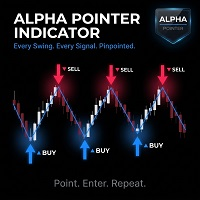
Alpha Pointer MT5

Free

Cycle Sniper MT5

90 USD

Basic Supply Demand Dashboard MT5

49.5 USD

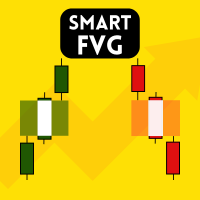
Smart FVG indicator

Free

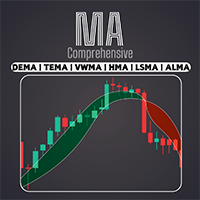
Comprehensive Moving Average MT5

Free

Volume profile CVD Frato

Free

Reversal Master for MT5

79 USD

TrendMaestro5

988 USD

Basic Candlestick Patterns MT5

Free

SMC LuxAlgo Edition for MT5

Free

TrendLine PRO MT5

49 USD

Crystal Volume Profile Auto POC

Free

Prop Firm Sniper MT5

65 USD

Blahtech Market Profile MT5

99 USD

Synthetic Trend AI

49 USD

Divergence Matrix

60 USD

Easy Buy Sell Signal

Free

Visual Risk and Position Size Calculator

Free

Basic Harmonic Pattern MT5

Free

Quant Direction MT5

199 USD

AW Trading Sessions Time MT5

Free

MACD Intraday Trend

Free

Area of Interest MT5

Free

Market Structure Order Block Dashboard MT5

49 USD

The 1 2 3 Pattern Scanner MT5

39 USD

Golden Spike Premium

99.99 USD

Smart Market Structure Toolkit

175 USD

SmartScalp Scanner

55 USD

AW Supply Demand MT5

55 USD

Quantum TrendPulse

149.99 USD

FX Levels MT5

79 USD

Haven Volume Profile

Free

Dark Absolute Trend MT5

50 USD

Atbot

59 USD

Liquidity Swings Unmitigated Zones Aurex

Free

Trend Viewer Pro MT5

78 USD

Btmm state engine pro

179 USD

Candles Signals

Free

Quant Sniper System

Free

Ace Trend

200 USD

Quantile AMD Price Predictor Pro

75 USD

Auto Optimized RSI MT5

50 USD

Bar Countdown With Symbol Info

Free

Liquidity Intelligence System

50 USD

Basic Harmonic Patterns Dashboard MT5

49.5 USD

MT5 Supertrend Pure

Free

TPO Profile

49 USD

Meridian Pro

99 USD

Crystal Quantum Flow

Free

Market Sessions Pre

Free

Frequently asked questions about technical indicators

What is a technical indicator?

A technical indicator processes prices, volumes or other market data and displays the result on a chart or in a separate window. It can help traders assess trends, momentum, volatility, market levels, patterns and other characteristics that are difficult to see from raw prices alone.

Can an indicator open trades automatically?

No. An indicator is designed to calculate and display analytical information. It cannot send trading orders on its own. However, an Expert Advisor can read indicator values and use them as part of an automated trading strategy.

How is an indicator different from an Expert Advisor?

An indicator helps analyze the market and presents its calculations on a chart. An Expert Advisor can analyze market data and also execute trading operations. Put simply, an indicator provides information, while an EA can use information to act.

What types of indicators are available in the Store?

The Store includes trend indicators, oscillators, channels, levels, pattern-recognition tools, multi-timeframe and multicurrency products, cluster indicators and volume-analysis tools. Choose a category based on the market feature you want to study rather than simply on the number of signals shown.

Can I test an indicator before buying it?

Yes. Download the demo version and start it in visual testing mode in the MetaTrader 5 Strategy Tester. You will see how the indicator behaves on historical data, how its values change and where its signals appear. A demo indicator cannot be launched on a regular online chart.

Can I use several indicators on one chart?

Yes. MetaTrader 5 does not impose a fixed limit on the number of indicators attached to one chart. However, many similar tools can duplicate signals, slow down chart updates and make the screen harder to read. Add only those indicators that answer different analytical questions.

How do I choose a useful technical indicator?

Start with the question you want the indicator to answer: trend direction, momentum, volatility, volume, market levels or entry timing. Then examine its calculation method, supported symbols and timeframes, input settings and signal frequency. It is also worth checking whether previously displayed values or signals can change when new data arrives.

How do I add an indicator from the Store to a chart?

Open the Navigator and find the installed product under "Indicators", usually in the "Market" folder. Double-click it or drag it onto the required chart. Review the input parameters, colors and levels, then click "OK" to start the calculation.