Technical Indicators for MetaTrader 5

Signals from technical indicators play a crucial role in opening and closing deals on stock and Forex markets. The essence of indicators is a mathematical transformation of a financial symbol price aimed at forecasting future price changes. Test technical indicators to better predict market behavior and profit from it.

Indicator type
Price

Advanced Stochastic Scalper MT5

37 USD

Dark Bands MT5

Free

HTF Candles PO3

Free

QCL AI Scalper

30 USD

Breakout Trend Scanner MT5

69 USD

Price Reversal Predictor

Free

Basic Supply Demand MT5

Free

Elliott Wave Detector Auto MTF Analysis

150 USD

MasterTrend

Free

Deriv BC Blue Guardian

70 USD

Breakout Retest Scan MT5

49 USD

Weltrade Spike Sentinel

120 USD

RSI Divergence Risk Target Signals

50 USD

Haven Stop Loss Hunter

Free

SwingVWAP Thermal Pro

Free

Grabber System MT5

149 USD

Artemis ORB Breakout Indicator MT5

49 USD

Quantum Breakout Indicator PRO MT5

149.99 USD

Sniper Delta Imbalance MT5

150 USD

Gold Scalper Pro Psar Adx Dashboard MT5

39 USD

MACD Alert Series For MT5

60 USD

Stratos Pali mt5

49 USD

MACD Classic Smoothed

Free

OrderFlux Footprint Orderflow

129 USD

XAU Quantum Core

39 USD

Supertrend Fakeout MT5

Free

SMC Signal Matrix MT5

39 USD

Simple QM Pattern MT5

Free

MACD Alerts MT5

30 USD

Ez Channel MT5

38 USD

KT Alpha Hunter Arrows MT5

247 USD

SMC Compass MT5

Free

Smart Auto TrendLine

Free

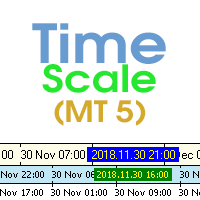
Time Scale for MT5

Free

REW Signals Advanced RSI

Free

AuctionFlow Structure MT5

38 USD

Basic Renko MT5

Free

Easy Buy Sell Signal Alert

49 USD

WaveTheory Fully automatic calculation

188 USD

Orderflow Footprint

79 USD

Super Trend Alert

Free

VWAP With Alerts

Free

Anchored VWAP for MT5

Free

Gold Scalper Super MT5

55 USD

Pips Chaser MT5

Free

SMC Sessions MT5

38 USD

PZ Swing Trading MT5

125 USD

True RSI Divergence

Free

Volumatic VIDyA MT5

35 USD

Liquidity Sweeps Detector PRO MT5

39 USD

SMC Sweep Fvg MT5

750 USD

Fibonacci Confluence Toolkit MT5 Multi Timeframe

35 USD

Hexo Trade System

Free

The Smc Ict Indicator

39.99 USD

Supports And Resistances Lines

Free

Gold PRO Scalper Engine MT5

50 USD

Gartley Hunter Multi

120 USD

Opening Range Breakouts MT5

38 USD

Auto Fibo Retracement MT5

Free

RSI with alerts BDA

Free

Smart Liquidity Matrix MT5

30 USD

Rejection Zones Yoshi Pro

Free

Trend Reversal Scanner MT5

49 USD

Power Bar MT5

79 USD

Support and Resistance MultiTime

Free

Pro Support Resistance MT5

Free

WH Fair Value Gap MT5

Free

Buy Sell Quantum KPG

Free

VR Sync Charts MT5

30 USD

Easy Lot Calculator

Free

Volume Break Oscillator

70 USD

Valable ZigZag MT5

Free

Frequently asked questions about technical indicators

What is a technical indicator?

A technical indicator processes prices, volumes or other market data and displays the result on a chart or in a separate window. It can help traders assess trends, momentum, volatility, market levels, patterns and other characteristics that are difficult to see from raw prices alone.

Can an indicator open trades automatically?

No. An indicator is designed to calculate and display analytical information. It cannot send trading orders on its own. However, an Expert Advisor can read indicator values and use them as part of an automated trading strategy.

How is an indicator different from an Expert Advisor?

An indicator helps analyze the market and presents its calculations on a chart. An Expert Advisor can analyze market data and also execute trading operations. Put simply, an indicator provides information, while an EA can use information to act.
What types of indicators are available in the Store?

The Store includes trend indicators, oscillators, channels, levels, pattern-recognition tools, multi-timeframe and multicurrency products, cluster indicators and volume-analysis tools. Choose a category based on the market feature you want to study rather than simply on the number of signals shown.

Can I test an indicator before buying it?

Yes. Download the demo version and start it in visual testing mode in the MetaTrader 5 Strategy Tester. You will see how the indicator behaves on historical data, how its values change and where its signals appear. A demo indicator cannot be launched on a regular online chart.

Can I use several indicators on one chart?

Yes. MetaTrader 5 does not impose a fixed limit on the number of indicators attached to one chart. However, many similar tools can duplicate signals, slow down chart updates and make the screen harder to read. Add only those indicators that answer different analytical questions.

How do I choose a useful technical indicator?

Start with the question you want the indicator to answer: trend direction, momentum, volatility, volume, market levels or entry timing. Then examine its calculation method, supported symbols and timeframes, input settings and signal frequency. It is also worth checking whether previously displayed values or signals can change when new data arrives.

How do I add an indicator from the Store to a chart?

Open the Navigator and find the installed product under "Indicators", usually in the "Market" folder. Double-click it or drag it onto the required chart. Review the input parameters, colors and levels, then click "OK" to start the calculation.