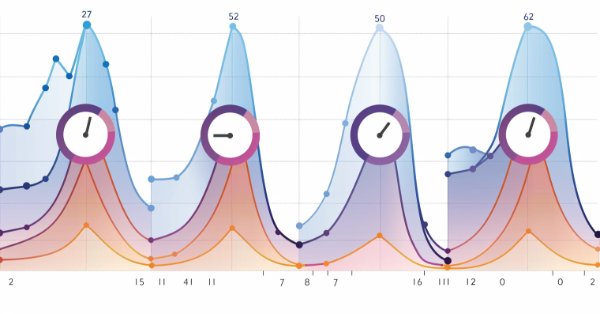
In this article, we will review the structure of the indicator buffer in multi-symbol, multi-period indicators and organize the display of colored buffers of these indicators on the chart.
Principal Component Analysis, a dimensionality reducing technique in data analysis, is looked at in this article, with how it could be implemented with Eigen values and vectors. As always, we aim to develop a prototype expert-signal-class usable in the MQL5 wizard.
News trading can be complicated and overwhelming, in this article we will go through steps to obtain news data. Additionally we will learn about the MQL5 Economic Calendar and what it has to offer.
The article examines the impact of changing the shape of probability distributions on the performance of optimization algorithms. We will conduct experiments using the Smart Cephalopod (SC) test algorithm to evaluate the efficiency of various probability distributions in the context of optimization problems.
The first part was devoted to the well-known and popular algorithm - simulated annealing. We have thoroughly considered its pros and cons. The second part of the article is devoted to the radical transformation of the algorithm, which turns it into a new optimization algorithm - Simulated Isotropic Annealing (SIA).
The Simulated Annealing algorithm is a metaheuristic inspired by the metal annealing process. In the article, we will conduct a thorough analysis of the algorithm and debunk a number of common beliefs and myths surrounding this widely known optimization method. The second part of the article will consider the custom Simulated Isotropic Annealing (SIA) algorithm.
We will analyze the question of what quantitative analysis is and how it is used by major players. We will create one of the quantitative analysis algorithms in the MQL5 language.
This article is the last part of a series describing our development steps of a native MQL5 client for the MQTT 5.0 protocol. Although the library is not production-ready yet, in this part, we will use our client to update a custom symbol with ticks (or rates) sourced from another broker. Please, see the bottom of this article for more information about the library's current status, what is missing for it to be fully compliant with the MQTT 5.0 protocol, a possible roadmap, and how to follow and contribute to its development.
Support Vector Machines classify data based on predefined classes by exploring the effects of increasing its dimensionality. It is a supervised learning method that is fairly complex given its potential to deal with multi-dimensioned data. For this article we consider how it’s very basic implementation of 2-dimensioned data can be done more efficiently with Newton’s Polynomial when classifying price-action.
In this article, we continue discussing methods for collecting data into a training set. Obviously, the learning process requires constant interaction with the environment. However, situations can be different.
Models are trained offline using data from a prepared training dataset. While providing certain advantages, its negative side is that information about the environment is greatly compressed to the size of the training dataset. Which, in turn, limits the possibilities of exploration. In this article, we will consider a method that enables the filling of a training dataset with the most diverse data possible.
Embark on the next phase of our MQL5 journey. In this insightful and beginner-friendly article, we'll look into the remaining array functions, demystifying complex concepts to empower you to craft efficient trading strategies. We’ll be discussing ArrayPrint, ArrayInsert, ArraySize, ArrayRange, ArrarRemove, ArraySwap, ArrayReverse, and ArraySort. Elevate your algorithmic trading expertise with these essential array functions. Join us on the path to MQL5 mastery!
The article presents a complete exploration of the Nelder-Mead method, explaining how the simplex (function parameter space) is modified and rearranged at each iteration to achieve an optimal solution, and describes how the method can be improved.
In this article, we will consider the algorithm that demonstrates the most controversial results of all those discussed previously - the differential evolution (DE) algorithm.
In this article, we will create a random forest model in Python, train the model, and save it as an ONNX pipeline with data preprocessing. After that we will use the model in the MetaTrader 5 terminal.
In this article, we will get acquainted with an interesting algorithm that is built at the intersection of supervised and reinforcement learning methods.
Spatial Temporal Fusion which is using both ‘space’ and time metrics in modelling data is primarily useful in remote-sensing, and a host of other visual based activities in gaining a better understanding of our surroundings. Thanks to a published paper, we take a novel approach in using it by examining its potential to traders.
The article presents an optimization algorithm based on the patterns of constructing spiral trajectories in nature, such as mollusk shells - the spiral dynamics optimization (SDO) algorithm. I have thoroughly revised and modified the algorithm proposed by the authors. The article will consider the necessity of these changes.
Dive into the heart of neural networks as we demystify the optimization algorithms used inside the neural network. In this article, discover the key techniques that unlock the full potential of neural networks, propelling your models to new heights of accuracy and efficiency.
Can we benefit from seasonality when creating models for Deep Learning with Python? Does filtering data for the ONNX models help to get better results? What time period should we use? We will cover all of this over this article.
This article is an introduction to a series of articles about programming. It is assumed here that the reader has never dealt with programming before. So, this series starts from the very basics. Programming knowledge level: Absolute Beginner.
The article considers an interesting algorithm derived from inanimate nature - intelligent water drops (IWD) simulating the process of river bed formation. The ideas of this algorithm made it possible to significantly improve the previous leader of the rating - SDS. As usual, the new leader (modified SDSm) can be found in the attachment.
As a result of tests performed in previous articles, we came to the conclusion that the optimality of the trained strategy largely depends on the training set used. In this article, we will get acquainted with a fairly simple yet effective method for selecting trajectories to train models.
Stop loss and take profit can have a significant impact on trading results. In this article, we will look at several ways to find optimal stop order values.
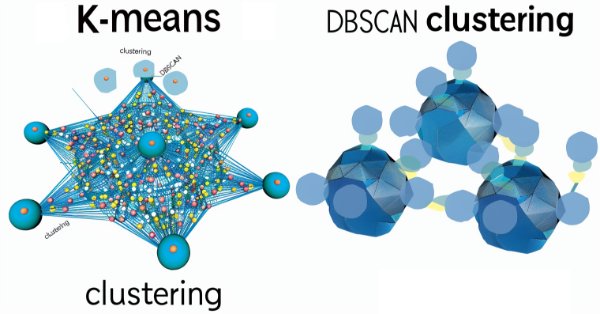
Density Based Spatial Clustering for Applications with Noise is an unsupervised form of grouping data that hardly requires any input parameters, save for just 2, which when compared to other approaches like k-means, is a boon. We delve into how this could be constructive for testing and eventually trading with Wizard assembled Expert Advisers
The multi-currency expert advisor in this article is an expert advisor or automated trading that uses ZigZag indicator which are filtered with the Awesome Oscillator or filter each other's signals.
This article is the sixth part of a series describing our development steps of a native MQL5 client for the MQTT 5.0 protocol. In this part we comment on the main changes in our first refactoring, how we arrived at a viable blueprint for our packet-building classes, how we are building PUBLISH and PUBACK packets, and the semantics behind the PUBACK Reason Codes.
We continue to discuss the family of Decision Transformer methods. From previous article, we have already noticed that training the transformer underlying the architecture of these methods is a rather complex task and requires a large labeled dataset for training. In this article we will look at an algorithm for using unlabeled trajectories for preliminary model training.
Variables and data types are very important topics not only in MQL5 programming but also in any programming language. MQL5 variables and data types can be categorized as simple and advanced ones. In this article, we will identify and learn about advanced ones because we already mentioned simple ones in a previous article.
Explore the world of MQL5 arrays in Part 5, designed for absolute beginners. Simplifying complex coding concepts, this article focuses on clarity and inclusivity. Join our community of learners, where questions are embraced, and knowledge is shared!
The article considers the practical application of quantization in the construction of tree models. The methods for selecting quantum tables and data preprocessing are considered. No complex mathematical equations are used.
Of all the things that we have developed so far, this system, as you will probably notice and eventually agree, is the most complex. Now we need to do something very simple: make our system simulate the operation of a trading server. This need to accurately implement the way the trading server operates seems like a no-brainer. At least in words. But we need to do this so that the everything is seamless and transparent for the user of the replay/simulation system.
In recent articles, we have seen several options for using the Decision Transformer method. The method allows analyzing not only the current state, but also the trajectory of previous states and actions performed in them. In this article, we will focus on using this method in hierarchical models.
We need a timer that can show how much time is left till the end of the replay/simulation run. This may seem at first glance to be a simple and quick solution. Many simply try to adapt and use the same system that the trading server uses. But there's one thing that many people don't consider when thinking about this solution: with replay, and even m ore with simulation, the clock works differently. All this complicates the creation of such a system.
Today we will learn a technique that can help us a lot in different stages of our professional life as a programmer. Often it is not the platform itself that is limited, but the knowledge of the person who talks about the limitations. This article will tell you that with common sense and creativity you can make the MetaTrader 5 platform much more interesting and versatile without resorting to creating crazy programs or anything like that, and create simple yet safe and reliable code. We will use our creativity to modify existing code without deleting or adding a single line to the source code.
In this article, we explore the challenge of understanding how AI works. AI models often make decisions in ways that are hard to explain, leading to what's known as the "disagreement problem". This issue is key to making AI more transparent and trustworthy.