In this article series, I use experimentation and non-standard approaches to develop a profitable trading system and check whether neural networks can be of any help for traders. MetaTrader 5 is approached as a self-sufficient tool for using neural networks in trading.
Today we'll see how to create an Expert Advisor that simply and safely works in automatic mode. In the previous article, we started to develop an order system that we will use in our automated EA. However, we have created only one of the necessary functions.
Today we'll see how to create an Expert Advisor that simply and safely works in automatic mode. In the previous article, we discussed the first steps that anyone needs to understand before proceeding to creating an Expert Advisor that trades automatically. We considered the concepts and the structure.
In this article, I will make an attempt to consider some ways of building non-linear indicators and their use in trading. There are quite a few indicators in the MetaTrader trading platform that use non-linear approaches.
We got acquainted with the Q-learning method in one of the earlier articles within this series. This method averages rewards for each action. Two works were presented in 2017, which show greater success when studying the reward distribution function. Let's consider the possibility of using such technology to solve our problems.
What is Frames Analyzer? This is a plug-in module for any Expert Advisor for analyzing optimization frames during parameter optimization in the strategy tester, as well as outside the tester, by reading an MQD file or a database that is created immediately after parameter optimization. You will be able to share these optimization results with other users who have the Frames Analyzer tool to discuss the results together.
In the previous article, we started exploring non-gradient optimization methods. We got acquainted with the genetic algorithm. Today, we will continue this topic and will consider another class of evolutionary algorithms.
Today I want to introduce you to a slightly different learning method. We can say that it is borrowed from Darwin's theory of evolution. It is probably less controllable than the previously discussed methods but it allows training non-differentiable models.
In the previous articles of this series, we have seen two reinforced learning algorithms. Each of them has its own advantages and disadvantages. As often happens in such cases, next comes the idea to combine both methods into an algorithm, using the best of the two. This would compensate for the shortcomings of each of them. One of such methods will be discussed in this article.
We continue to study reinforcement learning methods. In the previous article, we got acquainted with the Deep Q-Learning method. In this method, the model is trained to predict the upcoming reward depending on the action taken in a particular situation. Then, an action is performed in accordance with the policy and the expected reward. But it is not always possible to approximate the Q-function. Sometimes its approximation does not generate the desired result. In such cases, approximation methods are applied not to utility functions, but to a direct policy (strategy) of actions. One of such methods is Policy Gradient.
In the previous article, we created a tool for creating and editing the architecture of neural networks. Today we will continue working on this tool. We will try to make it more user friendly. This may see, top be a step away form our topic. But don't you think that a well organized workspace plays an important role in achieving the result.
In this series of articles, we have already mentioned Transfer Learning more than once. However, this was only mentioning. in this article, I suggest filling this gap and taking a closer look at Transfer Learning.
We continue to study unsupervised learning algorithms. This time I suggest that we discuss the features of autoencoders when applied to recurrent model training.
In the last article, we got acquainted with the Autoencoder algorithm. Like any other algorithm, it has its advantages and disadvantages. In its original implementation, the autoenctoder is used to separate the objects from the training sample as much as possible. This time we will talk about how to deal with some of its disadvantages.
In this article, I will use experimentation and non-standard approaches to develop a profitable trading system and check whether neural networks can be of any help for traders. MetaTrader 5 as a self-sufficient tool for using neural networks in trading.
Today we will continue to develop the new order system. It is not that easy to implement a new system as we often encounter problems which greatly complicate the process. When these problems appear, we have to stop and re-analyze the direction in which we are moving.
We continue to study unsupervised learning algorithms. Some readers might have questions regarding the relevance of recent publications to the topic of neural networks. In this new article, we get back to studying neural networks.
We continue considering association rules. In the previous article, we have discussed theoretical aspect of this type of problem. In this article, I will show the implementation of the FP Growth method using MQL5. We will also test the implemented solution using real data.
Finally, the visual system will start working, although it will not yet be completed. Here we will finish making the main changes. There will be quite a few of them, but they are all necessary. Well, the whole work will be quite interesting.
As a continuation of this series of articles, let's consider another type of problems within unsupervised learning methods: mining association rules. This problem type was first used in retail, namely supermarkets, to analyze market baskets. In this article, we will talk about the applicability of such algorithms in trading.
We continue to implement the new order system. The creation of such a system requires a good command of MQL5, as well as an understanding of how the MetaTrader 5 platform actually works and what resources it provides.
In this article, we will develop a graphical order system of the "look what happens" type. Please note that we are not starting from scratch this time, but we will modify the existing system by adding more objects and events on the chart of the asset we are trading.
In this part we continue discussing Artificial Intelligence models. Namely, we study unsupervised learning algorithms. We have already discussed one of the clustering algorithms. In this article, I am sharing a variant of solving problems related to dimensionality reduction.
This is the first part of the new order system. Since we started documenting this EA in our articles, it has undergone various changes and improvements while maintaining the same on-chart order system model.
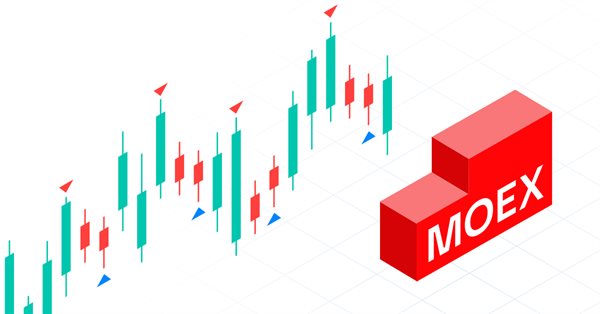
The article considers the development of an MQL5 Expert Advisor (EA) for MetaTrader 5 aimed at working on MOEX. The EA is to follow a grid strategy while trading on MOEX using MetaTrader 5 terminal. The EA involves closing positions by stop loss and take profit, as well as removing pending orders in case of certain market conditions.
In the previous article, we have created a class for data clustering. In this article, I want to share variants of the possible application of obtained results in solving practical trading tasks.
We continue to consider the clustering method. In this article, we will create a new CKmeans class to implement one of the most common k-means clustering methods. During tests, the model managed to identify about 500 patterns.
It has been more than a year since I published my last article. This is quite a lot time to revise ideas and to develop new approaches. In the new article, I would like to divert from the previously used supervised learning method. This time we will dip into unsupervised learning algorithms. In particular, we will consider one of the clustering algorithms—k-means.
Today we will construct the second part of the Times & Trade system for market analysis. In the previous article "Times & Trade (I)" we discussed an alternative chart organization system, which would allow having an indicator for the quickest possible interpretation of deals executed in the market.
Today we will create Times & Trade with fast interpretation to read the order flow. It is the first part in which we will build the system. In the next article, we will complete the system with the missing information. To implement this new functionality, we will need to add several new things to the code of our Expert Advisor.
In this article we will create a system of cross orders. There is one type of assets that makes traders' life very difficult for traders — futures contracts. But why do they make life difficult?
In this article, we will place Chart Trade in a floating window. In the previous part, we created a basic system which enables the use of templates within a floating window.
This is one of the most powerful indicators currently existing. Anyone who trades trying to have a certain degree of confidence must have this indicator on their chart. Most often the indicator is used by those who prefer “tape reading” while trading. Also, this indicator can be utilized by those who use only Price Action while trading.
In my previous article, I showed you how to create a Chart Trade using MetaTrader 5 objects and thus to turn the platform into a RAD system. The system works very well, and for sure many of the readers might have thought about creating a library, which would allow having extended functionality in the proposed system. Based on this, it would be possible to develop a more intuitive Expert Advisor with a nicer and easier to use interface.
There are a lot of people who do not know how to program but they are quite creative and have great ideas. However, the lack of programming knowledge prevents them from implementing these ideas. Let's see together how to create a Chart Trade using the MetaTrader 5 platform itself, as if it were an IDE.
Many workstations contain some representative image which shows something about the user. These images make the working environment more beautiful and exciting. Let's see how to make the charts more interesting by adding a background.
In this article, we will consider some of the essential points you should pay attention to when purchasing an Expert Advisor. We will also look for ways to increase profit, to spend money wisely, and to earn from this spending. Also, after reading the article, you will see that it is possible to earn even using simple and free products.