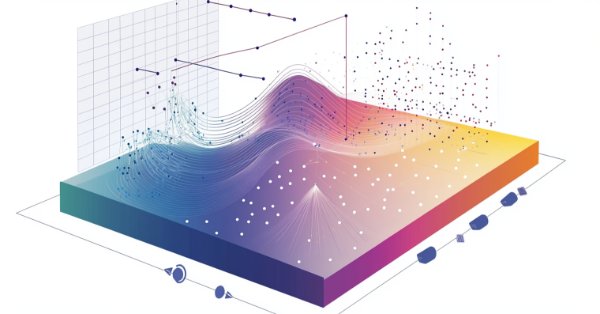
This article provides a fascinating insight into the world of social behavior in living organisms and its influence on the creation of a new mathematical model - ASBO (Adaptive Social Behavior Optimization). We will examine how the principles of leadership, neighborhood, and cooperation observed in living societies inspire the development of innovative optimization algorithms.
In this article, we will implement a control indicator so that it can be integrated into the message system we are developing. Although it is not very difficult, there are some details that need to be understood about the initialization of this module. The material presented here is for educational purposes only. In no way should it be considered as an application for any purpose other than learning and mastering the concepts shown.
As the year approaches its end, long-term traders often reflect on market history to analyze its behavior and trends, aiming to project potential future movements. In this article, we will explore the development of a long-term entry monitoring Expert Advisor (EA) using MQL5. The objective is to address the challenge of missed long-term trading opportunities caused by manual trading and the absence of automated monitoring systems. We'll use one of the most prominently traded pairs as an example to strategize and develop our solution effectively.
Financial markets are typically classified as either in a range mode or a trending mode. This static view of the market may make it easier for us to trade in the short run. However, it is disconnected from the reality of the market. In this article, we look to better understand how exactly financial markets move between these 2 possible modes and how we can use our new understanding of market behavior to gain confidence in our algorithmic trading strategies.
Moving average cross-overs are widely known by traders in our community, and yet the core of the strategy has changed very little since its inception. In this discussion, we will present you with a slight adjustment to the original strategy, that aims to minimize the lag present in the trading strategy. All fans of the original strategy, could consider revising the strategy in accordance with the insights we will discuss today. By using 2 moving averages with the same period, we reduce the lag in the trading strategy considerably, without violating the foundational principles of the strategy.
The article presents an artificial electric field algorithm (AEFA) inspired by Coulomb's law of electrostatic force. The algorithm simulates electrical phenomena to solve complex optimization problems using charged particles and their interactions. AEFA exhibits unique properties in the context of other algorithms related to laws of nature.
Discover how to create exportable EX5 functions to efficiently query and save historical position data. In this step-by-step guide, we will expand the History Management EX5 library by developing modules that retrieve key properties of the most recently closed position. These include net profit, trade duration, pip-based stop loss, take profit, profit values, and various other important details.
Did you know that the Golden Cross and Death Cross strategies, based on moving average crossovers, are some of the most reliable indicators for identifying long-term market trends? A Golden Cross signals a bullish trend when a shorter moving average crosses above a longer one, while a Death Cross indicates a bearish trend when the shorter average moves below. Despite their simplicity and effectiveness, manually applying these strategies often leads to missed opportunities or delayed trades.
Exploring advanced techniques to integrate MQL5 with powerful data processing tools, this part focuses on efficient handling of big data to enhance trading analysis and decision-making.
Join us today as we challenge ourselves to build a trading strategy around the USDJPY pair. We will trade candlestick patterns that are formed on the daily time frame because they potentially have more strength behind them. Our initial strategy was profitable, which encouraged us to continue refining the strategy and adding extra layers of safety, to protect the capital gained.
The article reveals the potential of the ANS algorithm as an important step in the development of flexible and intelligent optimization methods that can take into account the specifics of the problem and the dynamics of the environment in the search space.
Welcome to the third installment of our trend series! Today, we’ll delve into the use of divergence as a strategy for identifying optimal entry points within the prevailing daily trend. We’ll also introduce a custom profit-locking mechanism, similar to a trailing stop-loss, but with unique enhancements. In addition, we’ll upgrade the Trend Constraint Expert to a more advanced version, incorporating a new trade execution condition to complement the existing ones. As we move forward, we’ll continue to explore the practical application of MQL5 in algorithmic development, providing you with more in-depth insights and actionable techniques.
Determining market direction can be straightforward, but knowing when to enter can be challenging. As part of the series titled "Price Action Analysis Toolkit Development", I am excited to introduce another tool that provides entry points, take profit levels, and stop loss placements. To achieve this, we have utilized the MQL5 programming language. Let’s delve into each step in this article.
In this article, we will look at how to put together the first of a number of truly functional modules for use in the replay/simulator system that will also be of general purpose to serve other purposes. We are talking about the mouse module.
Today, we delve into incorporating useful trading metrics within a specialized window integrated into the Admin Panel EA. This discussion focuses on the implementation of MQL5 to develop an Analytics Panel and highlights the value of the data it provides to trading administrators. The impact is largely educational, as valuable lessons are drawn from the development process, benefiting both upcoming and experienced developers. This feature demonstrates the limitless opportunities this development series offers in equipping trade managers with advanced software tools. Additionally, we'll explore the implementation of the PieChart and ChartCanvas classes as part of the continued expansion of the Trading Administrator panel’s capabilities.
Learn how to retrieve, process, classify, sort, analyze, and manage closed positions, orders, and deal histories using MQL5 by creating an expansive History Management EX5 Library in a detailed step-by-step approach.
Join us today as we challenge ourselves to build a profitable break-out trading strategy in MQL5. We selected the EURUSD pair and attempted to trade price breakouts on the hourly timeframe. Our system had difficulty distinguishing between false breakouts and the beginning of true trends. We layered our system with filters intended to minimize our losses whilst increasing our gains. In the end, we successfully made our system profitable and less prone to false breakouts.
In the second part, we will collect chemical operators into a single algorithm and present a detailed analysis of its results. Let's find out how the Chemical reaction optimization (CRO) method copes with solving complex problems on test functions.
Moving from a simple trading script to a fully functioning Expert Advisor (EA) can significantly enhance your trading experience. Imagine having a system that automatically monitors your charts, performs essential calculations in the background, and provides regular updates every two hours. This EA would be equipped to analyze key metrics that are crucial for making informed trading decisions, ensuring that you have access to the most current information to adjust your strategies effectively.
Welcome to the beginning of another journey! This article opens a special series where we will create, step by step, a library for log manipulation, tailored for those who develop in the MQL5 language.
Security prompts, such as those triggered every time you refresh the chart, add a new pair to the chat with the Admin Panel EA, or restart the terminal, can become tedious. In this discussion, we will explore and implement a feature that tracks the number of login attempts to identify a trusted user. After a set number of failed attempts, the application will transition to an advanced login procedure, which also facilitates passcode recovery for users who may have forgotten it. Additionally, we will cover how cryptography can be effectively integrated into the Admin Panel to enhance security.
Algorithmic trading system that combines volume analysis with machine learning techniques, specifically LSTM neural networks. Unlike traditional trading approaches that primarily focus on price movements, this system emphasizes volume patterns and their derivatives to predict market movements. The methodology incorporates three main components: volume derivatives analysis (first and second derivatives), LSTM predictions for volume patterns, and traditional technical indicators.
In this article, we'll cover an important topic that few people understand: Custom Events. Dangers. Advantages and disadvantages of these elements. This topic is key for those who want to become a professional programmer in MQL5 or any other language. Here we will focus on MQL5 and MetaTrader 5.
In this article, we enhance the Trade Management Panel of our multi-functional Admin Panel. We introduce a powerful helper function that simplifies the code, improving readability, maintainability, and efficiency. We will also demonstrate how to seamlessly integrate additional buttons and enhance the interface to handle a wider range of trading tasks. Whether managing positions, adjusting orders, or simplifying user interactions, this guide will help you develop a robust, user-friendly Trade Management Panel.
Aligned with our vision of simplifying price action, we are pleased to introduce another tool that can significantly enhance your market analysis and help you make well-informed decisions. This tool displays key technical indicators such as previous day's prices, significant support and resistance levels, and trading volume, while automatically generating visual cues on the chart.
In this final installment of our Connexus library series, we explored the implementation of the Observer pattern, as well as essential refactorings to file paths and method names. This series covered the entire development of Connexus, designed to simplify HTTP communication in complex applications.
In this article we continue the development of the connexus library. In this chapter we build the CHttpClient class responsible for sending a request and receiving an order. We also cover the concept of mocks, leaving the library decoupled from the WebRequest function, which allows greater flexibility for users.
The Trading Administrator's role goes beyond just Telegram communications; they can also engage in various control activities, including order management, position tracking, and interface customization. In this article, we’ll share practical insights on expanding our program to support multiple functionalities in MQL5. This update aims to overcome the current Admin Panel's limitation of focusing primarily on communication, enabling it to handle a broader range of tasks.
This project aims to leverage the MQL5 algorithm to develop a comprehensive set of analysis tools for MetaTrader 5. These tools—ranging from scripts and indicators to AI models and expert advisors—will automate the market analysis process. At times, this development will yield tools capable of performing advanced analyses with no human involvement and forecasting outcomes to appropriate platforms. No opportunity will ever be missed. Join me as we explore the process of building a robust market analysis custom tools' chest. We will begin by developing a simple MQL5 program that I have named, Chart Projector.
Managing trading account risk is a challenge for all traders. How can we develop trading applications that dynamically learn high, medium, and low-risk modes for various symbols in MetaTrader 5? By using PCA, we gain better control over portfolio variance. I’ll demonstrate how to create applications that learn these three risk modes from market data fetched from MetaTrader 5.
In this article, we will create a simple tool for convenient viewing of positions and deals directly on the chart with key navigation. This will allow traders to visually examine individual deals and receive all the information about trading results right on the spot.
In this sixth article of the Connexus library series, we will focus on a complete HTTP request, covering each component that makes up a request. We will create a class that represents the request as a whole, which will help us bring together the previously created classes.
In this article, we will look into one of the most difficult issues in the field of MQL5 programming: how to correctly obtain a chart ID, and why objects are sometimes not plotted on the chart. The materials presented here are for didactic purposes only. Under no circumstances should the application be viewed for any purpose other than to learn and master the concepts presented.
Traditional machine learning teaches practitioners to be vigilant not to overfit their models. However, this ideology is being challenged by new insights published by diligent researches from Harvard, who have discovered that what appears to be overfitting may in some circumstances be the results of terminating your training procedures prematurely. We will demonstrate how we can use the ideas published in the research paper, to improve our use of AI in forecasting market returns.
We continue to explore the analysis and forecasting of time series in the frequency domain. In this article, we will get acquainted with a new method to forecast data in the frequency domain, which can be added to many of the algorithms we have studied previously.
The moving averages are by far the best indicators for our AI models to predict. However, we can improve our accuracy even further by carefully transforming our data. This article will demonstrate, how you can build AI Models capable of forecasting further into the future than you may currently be practicing without significant drops to your accuracy levels. It is truly remarkable, how useful the moving averages are.
Here we will consider the evolution of the ACS algorithm: three modifications aimed at improving the convergence characteristics and the algorithm efficiency. Transformation of one of the leading optimization algorithms. From matrix modifications to revolutionary approaches regarding population formation.
The number of strategies that can be integrated into an Expert Advisor is virtually limitless. However, each additional strategy increases the complexity of the algorithm. By incorporating multiple strategies, an Expert Advisor can better adapt to varying market conditions, potentially enhancing its profitability. Today, we will explore how to implement MQL5 for one of the prominent strategies developed by Richard Donchian, as we continue to enhance the functionality of our Trend Constraint Expert.
We will solve the chart ID problem and at the same time we will begin to provide the user with the ability to use a personal template for the analysis and simulation of the desired asset. The materials presented here are for didactic purposes only and should in no way be considered as an application for any purpose other than studying and mastering the concepts presented.