News trading can be complicated and overwhelming, in this article we will go through steps to obtain news data. Additionally we will learn about the MQL5 Economic Calendar and what it has to offer.
The article examines the impact of changing the shape of probability distributions on the performance of optimization algorithms. We will conduct experiments using the Smart Cephalopod (SC) test algorithm to evaluate the efficiency of various probability distributions in the context of optimization problems.
The first part was devoted to the well-known and popular algorithm - simulated annealing. We have thoroughly considered its pros and cons. The second part of the article is devoted to the radical transformation of the algorithm, which turns it into a new optimization algorithm - Simulated Isotropic Annealing (SIA).
The Simulated Annealing algorithm is a metaheuristic inspired by the metal annealing process. In the article, we will conduct a thorough analysis of the algorithm and debunk a number of common beliefs and myths surrounding this widely known optimization method. The second part of the article will consider the custom Simulated Isotropic Annealing (SIA) algorithm.
The article presents a complete exploration of the Nelder-Mead method, explaining how the simplex (function parameter space) is modified and rearranged at each iteration to achieve an optimal solution, and describes how the method can be improved.
In this article, we will consider the algorithm that demonstrates the most controversial results of all those discussed previously - the differential evolution (DE) algorithm.
The article presents an optimization algorithm based on the patterns of constructing spiral trajectories in nature, such as mollusk shells - the spiral dynamics optimization (SDO) algorithm. I have thoroughly revised and modified the algorithm proposed by the authors. The article will consider the necessity of these changes.
This article is an introduction to a series of articles about programming. It is assumed here that the reader has never dealt with programming before. So, this series starts from the very basics. Programming knowledge level: Absolute Beginner.
The article considers an interesting algorithm derived from inanimate nature - intelligent water drops (IWD) simulating the process of river bed formation. The ideas of this algorithm made it possible to significantly improve the previous leader of the rating - SDS. As usual, the new leader (modified SDSm) can be found in the attachment.
The multi-currency expert advisor in this article is an expert advisor or automated trading that uses ZigZag indicator which are filtered with the Awesome Oscillator or filter each other's signals.
Of all the things that we have developed so far, this system, as you will probably notice and eventually agree, is the most complex. Now we need to do something very simple: make our system simulate the operation of a trading server. This need to accurately implement the way the trading server operates seems like a no-brainer. At least in words. But we need to do this so that the everything is seamless and transparent for the user of the replay/simulation system.
Learn about the object-oriented programming paradigm and its application in MQL5 code. This second article goes deeper into the specifics of object-oriented programming, offering hands-on experience through a practical example. You'll learn how to convert our earlier developed procedural price action expert advisor using the EMA indicator and candlestick price data to object-oriented code.
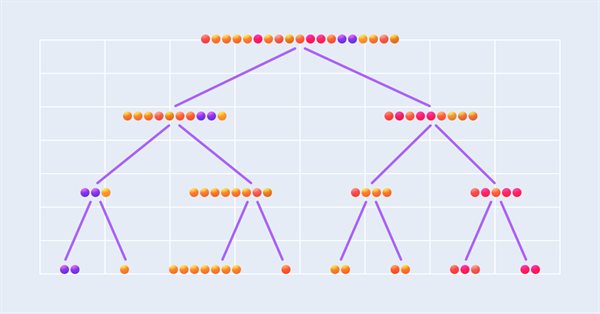
This article describes the implementation of a regression model based on a decision tree. The model should predict prices of financial assets. We have already prepared the data, trained and evaluated the model, as well as adjusted and optimized it. However, it is important to note that this model is intended for study purposes only and should not be used in real trading.
The article discusses Stochastic Diffusion Search (SDS), which is a very powerful and efficient optimization algorithm based on the principles of random walk. The algorithm allows finding optimal solutions in complex multidimensional spaces, while featuring a high speed of convergence and the ability to avoid local extrema.
The article considers the algorithm of the MEC family called the simple mind evolutionary computation algorithm (Simple MEC, SMEC). The algorithm is distinguished by the beauty of its idea and ease of implementation.
In this reference article, we will look at standard indicators from the Trend Indicators category. We will create ready-to-use templates for indicator use in EAs - declaring and setting parameters, indicator initialization and deinitialization, as well as receiving data and signals from indicator buffers in EAs.
The article presents a detailed description of the shuffled frog-leaping (SFL) algorithm and its capabilities in solving optimization problems. The SFL algorithm is inspired by the behavior of frogs in their natural environment and offers a new approach to function optimization. The SFL algorithm is an efficient and flexible tool capable of processing a variety of data types and achieving optimal solutions.
DRAKON is a visual programming language designed to simplify interaction between specialists from different fields (biologists, physicists, engineers...) with programmers in Russian space projects (for example, in the Buran reusable spacecraft project). In this article, I will talk about how DRAKON makes the creation of algorithms accessible and intuitive, even if you have never encountered code, and also how it is easier for customers to explain their thoughts when ordering trading robots, and for programmers to make fewer mistakes in complex functions.
In this article, we will look at standard indicators of the Volume and Bill Williams' indicators category. We will create ready-to-use templates for indicator use in EAs - declaring and setting parameters, indicator initialization and deinitialization, as well as receiving data and signals from indicator buffers in EAs.
The article takes a quick look at the ALGLIB 3.19 numerical analysis library, its applications and new algorithms that can improve the efficiency of financial data analysis.
The multi-currency expert advisor in this article is an expert advisor or trading robot that uses two RSI indicators with crossing lines, the Fast RSI which crosses with the Slow RSI.
This series of articles introduces several time series labeling methods, which can create data that meets most artificial intelligence models, and targeted data labeling according to needs can make the trained artificial intelligence model more in line with the expected design, improve the accuracy of our model, and even help the model make a qualitative leap!
The article considers standard indicators from the oscillator category. We will create ready-to-use templates for their use in EAs - declaring and setting parameters, indicator initialization and deinitialization, as well as receiving data and signals from indicator buffers in EAs.
Embark on an illuminating journey with Part Two of our MQL5 series. These articles are not just tutorials, they're doorways to an enchanted realm where programming novices and wizards alike unite. What makes this journey truly magical? Part Two of our MQL5 series stands out with its refreshing simplicity, making complex concepts accessible to all. Engage with us interactively as we answer your questions, ensuring an enriching and personalized learning experience. Let's build a community where understanding MQL5 is an adventure for everyone. Welcome to the enchantment!
In this article we demonstrate the implementation of the Augmented Dickey-Fuller test, and apply it to conduct cointegration tests using the Engle-Granger method.
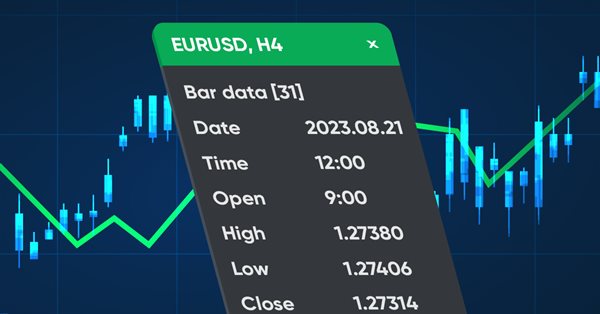
In this article, we will create a dashboard class to be used in indicators and EAs. This is an introductory article in a small series of articles with templates for including and using standard indicators in Expert Advisors. I will start by creating a panel similar to the MetaTrader 5 data window.
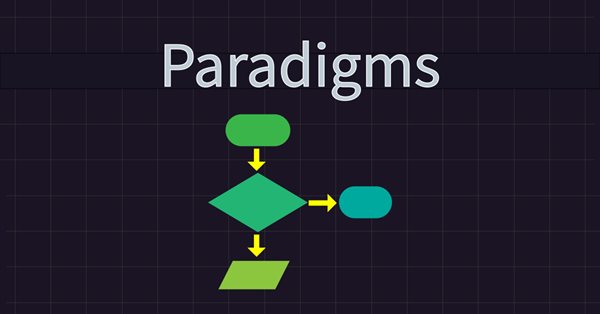
Learn about programming paradigms and their application in MQL5 code. This article explores the specifics of procedural programming, offering hands-on experience through a practical example. You'll learn how to develop a price action expert advisor using the EMA indicator and candlestick price data. Additionally, the article introduces you to the functional programming paradigm.
In this article I will show the first part of the improvements that allowed me not only to close the entire automation chain for MetaTrader 4 and 5 trading, but also to do something much more interesting. From now on, this solution allows me to fully automate both creating EAs and optimization, as well as to minimize labor costs for finding effective trading configurations.
In this article we explore the application of digital filters on time series represented in the frequency domain so as to extract unique features that may be useful to prediction models.
This series of articles introduces several time series labeling methods, which can create data that meets most artificial intelligence models, and targeted data labeling according to needs can make the trained artificial intelligence model more in line with the expected design, improve the accuracy of our model, and even help the model make a qualitative leap!
Here we will see how to implement something really interesting, but at the same time very difficult due to certain points that can be very confusing. The worst thing that can happen is that some traders who consider themselves professionals do not know anything about the importance of these concepts in the capital market. Well, although we focus here on programming, understanding some of the issues involved in market trading is paramount to what we are going to implement.
The article considers handling trade request structures, namely creating a request, its preliminary verification before sending it to the server, the server's response to a trade request and the structure of trade transactions. We will create simple and convenient functions for sending trading orders to the server and, based on everything discussed, create an EA informing of trade transactions.
In this article, we will see how to develop a quality score that your Expert Advisor can display in the strategy tester. We will look at two well-known calculation methods – Van Tharp and Sunny Harris.
In order to use the data that forms the bars, we must abandon replay and start developing a simulator. We will use 1 minute bars because they offer the least amount of difficulty.
In this article we present an algorithm for permuting price bars and detail how permutation tests can be used to recognize instances where strategy performance has been fabricated to deceive potential buyers of Expert Advisors.