In this article we will look at the MqlDateTime, MqlTick, MqlRates and MqlBookInfo strutures, as well as methods for printing data from them. In order to print all the fields of a structure, there is a standard ArrayPrint() function, which displays the data contained in the array with the type of the handled structure in a convenient tabular format.
The article continues the review of the PrintFormat() function. We will briefly look at formatting strings using StringFormat() and their further use in the program. We will also write templates to display symbol data in the terminal journal. The article will be useful for both beginners and experienced developers.
In this article we present the implementation of several risk return metrics billed as alternatives to the Sharpe ratio and examine hypothetical equity curves to analyze their characteristics.
In this article, we will explore the application of all classification models available in the Scikit-Learn library to solve the classification task of Fisher's Iris dataset. We will attempt to convert these models into ONNX format and utilize the resulting models in MQL5 programs. Additionally, we will compare the accuracy of the original models with their ONNX versions on the full Iris dataset.
The article will be useful for both beginners and experienced developers. We will look at the PrintFormat() function, analyze examples of string formatting and write templates for displaying various information in the terminal log.
The Multi-Currency Expert Advisor in this article is Expert Advisor or trading robot that can trade (open orders, close orders and manage orders for example: Trailing Stop Loss and Trailing Profit) for more than 1 symbol pair only from one symbol chart. This time we will use only 1 indicator, namely Parabolic SAR or iSAR in multi-timeframes starting from PERIOD_M15 to PERIOD_D1.
In this article, we will look at how to lock the indicator while simply using the MQL5 language, and we will do it in a very interesting and amazing way.
In the previous article, we made some fixes and added tests to our replication system to ensure the best possible stability. We also started creating and using a configuration file for this system.
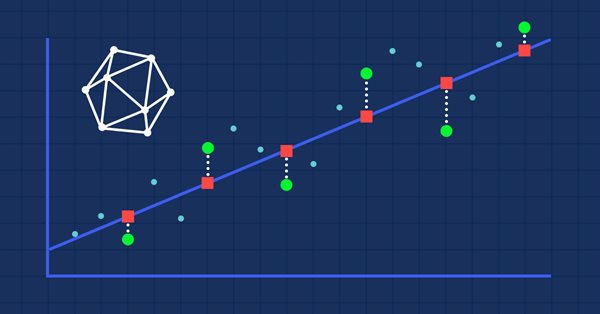
Regression is a task of predicting a real value from an unlabeled example. The so-called regression metrics are used to assess the accuracy of regression model predictions.
In this article we explore the practical implementation of elastic net regression to minimize overfitting and at the same time automatically separate useful predictors from those that have little prognostic power.
The Multi-Currency Expert Advisor in this article is Expert Advisor or trading robot that can trade (open orders, close orders and manage orders an more) for more than 1 symbol pair only from one symbol chart.
In the article, we will complete the development of the horizontal scrollbar object functionality. We will also make it possible to scroll the contents of the container by moving the scrollbar slider and rotating the mouse wheel, as well as make additions to the library, taking into account the new order execution policy and new runtime error codes in MQL5.
We have managed to develop a way to implement the market replay system in a realistic and accessible way. Now let's continue our project and add data to improve the replay behavior.
Object-oriented programming enables creation of a more compact code that is easy to read and modify. Here we will have a look at the example for three ONNX models.
This article will be a kind of interview with myself, in which I will tell you how I took my first steps in the MQL5 language. I will show you how you can become a great MQL5 programmer. I will explain the necessary bases for you to achieve this feat. The only prerequisite is a willingness to learn.
This article is a continuation in a series that look at Category Theory implementation in MQL5. In here we examine how Graph-Theory could be integrated with monoids and other data structures when developing a close-out strategy to a trading system.
To complete this series of articles on automation, we will continue discussing the topic of the previous article. We will see how everything will fit together, making the EA run like clockwork.
Here we will describe only one of the aspects of machine learning - activation functions. In artificial neural networks, a neuron activation function calculates an output signal value based on the values of an input signal or a set of input signals. We will delve into the inner workings of the process.
This article continues the series on category theory implementation in MQL5. Here we look at monoid-groups as a means normalising monoid sets making them more comparable across a wider span of monoid sets and data types..
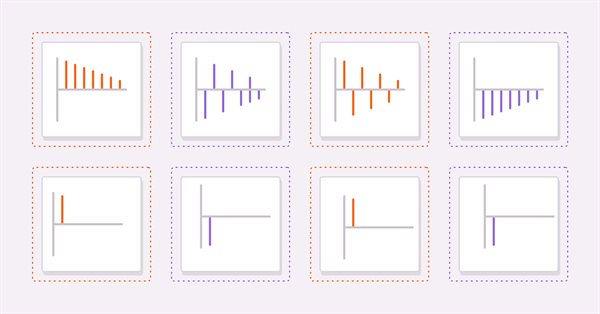
In this article we discuss methods related to the analysis of timeseries in the frequency domain. Emphasizing the utility of examining the power spectra of time series when building predictive models. In this article we will discuss some of the useful perspectives to be gained by analyzing time series in the frequency domain using the discrete fourier transform (dft).
In this article, I will consider a simple template for creating a universal MetaTrader robot that can be used on multiple charts while being attached to only one chart, without the need to configure each instance of the robot on each individual chart.
In this article we will implement an algorithm that applies the Box and Jenkins Autoregressive Integrated Moving Average model by using Powells method of function minimization. Box and Jenkins stated that most time series could be modeled by one or both of two frameworks.
The article describes the principles, methods and possibilities of using the Electromagnetic Algorithm in various optimization problems. The EM algorithm is an efficient optimization tool capable of working with large amounts of data and multidimensional functions.
Saplings Sowing and Growing up (SSG) algorithm is inspired by one of the most resilient organisms on the planet demonstrating outstanding capability for survival in a wide variety of conditions.
In the current article, I will study and test the most powerful optimization algorithm - harmonic search (HS) inspired by the process of finding the perfect sound harmony. So what algorithm is now the leader in our rating?
The article describes the theory and practice of applying the backpropagation algorithm in MQL5 using matrices. It provides ready-made classes along with script, indicator and Expert Advisor examples.
GSA is a population optimization algorithm inspired by inanimate nature. Thanks to Newton's law of gravity implemented in the algorithm, the high reliability of modeling the interaction of physical bodies allows us to observe the enchanting dance of planetary systems and galactic clusters. In this article, I will consider one of the most interesting and original optimization algorithms. The simulator of the space objects movement is provided as well.
Continued from the part 1 in the series, now we proceed to implement as a simple DLL then test with MetaTrader 5. This will prepare us well before developing a full-fledge OpenCL as DLL support in the following part to come.
Gary Anderson developed a method of market analysis based on a theory he dubbed the Janus Factor. The theory describes a set of indicators that can be used to reveal trends and assess market risk. In this article we will implement these tools in mql5.
In this article I'll introduce a method for creating custom indicators whose drawings are made using the class CCanvas from standard library and see charts properties for coordinates conversion. I'll approach specially indicators which need to fill the area between two lines using transparency.
Category Theory is a diverse and expanding branch of Mathematics which as of yet is relatively uncovered in the MQL5 community. These series of articles look to introduce and examine some of its concepts with the overall goal of establishing an open library that provides insight while hopefully furthering the use of this remarkable field in Traders' strategy development.
The article discusses the possibilities of handling databases based on the SQLite engine. The CDatabase class has been formed for convenience and efficient use of OOP principles. It is subsequently involved in the creation and management of the database of macroeconomic events. The article provides the examples of using multiple methods of the CDatabase class.
E. coli bacterium foraging strategy inspired scientists to create the BFO optimization algorithm. The algorithm contains original ideas and promising approaches to optimization and is worthy of further study.
The amazing ability of weeds to survive in a wide variety of conditions has become the idea for a powerful optimization algorithm. IWO is one of the best algorithms among the previously reviewed ones.
Bulit-in OpenCL support in MetaTrader 5 still has a major problem especially the one about device selection error 5114 resulting from unable to create an OpenCL context using CL_USE_GPU_ONLY, or CL_USE_GPU_DOUBLE_ONLY although it properly detects GPU. It works fine with directly using of ordinal number of GPU device we found in Journal tab, but that's still considered a bug, and users should not hard-code a device. We will solve it by recreating an OpenCL support as DLL with C++ on Linux. Along the journey, we will get to know OpenCL from concept to best practices in its API usage just enough for us to put into great use later when we deal with DLL implementation in C++ and consume it with MQL5.